How a review works
TrueLumen reviews engineering documents against the contract and specification that govern them. It finds where they disagree and shows you the evidence.
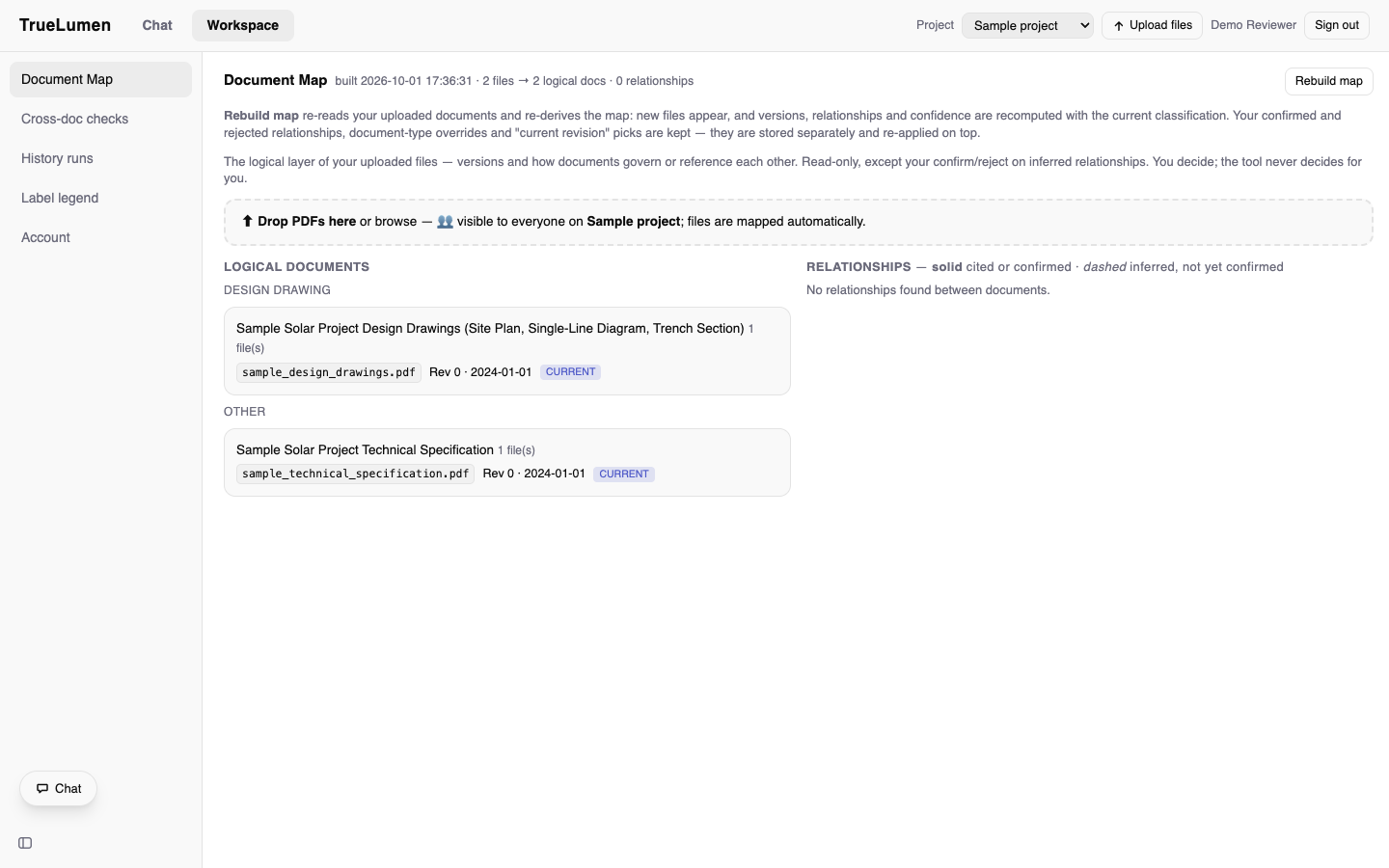
1Upload the document set
Upload a project's documents. The document map lists each one with its revision and date.
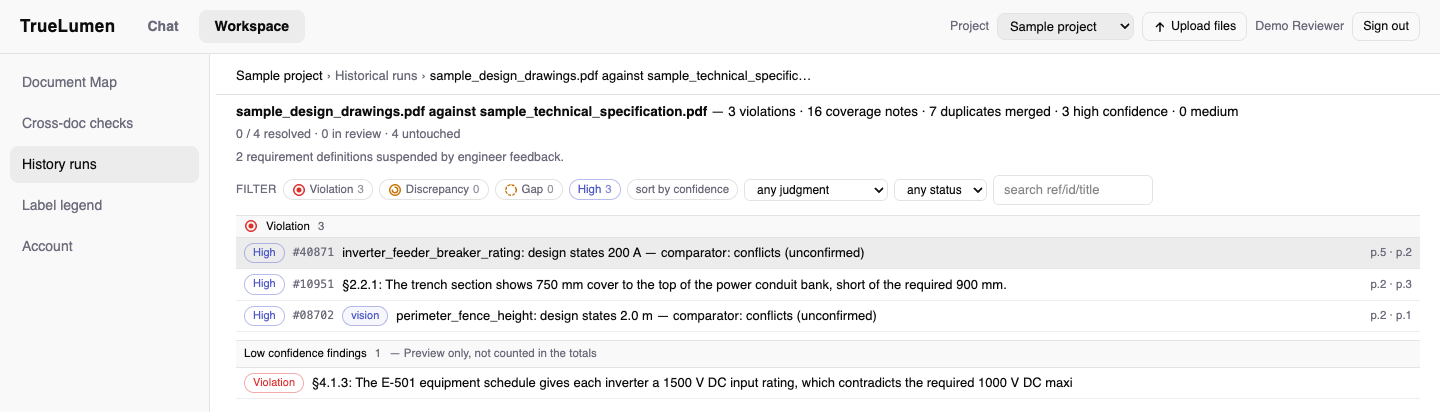
2See what the check found
A check compares the drawings with the specification. The summary line shows the counts. Each finding has a confidence label, a reference number and the cited pages. Low-confidence findings are listed separately and are not counted in the totals.
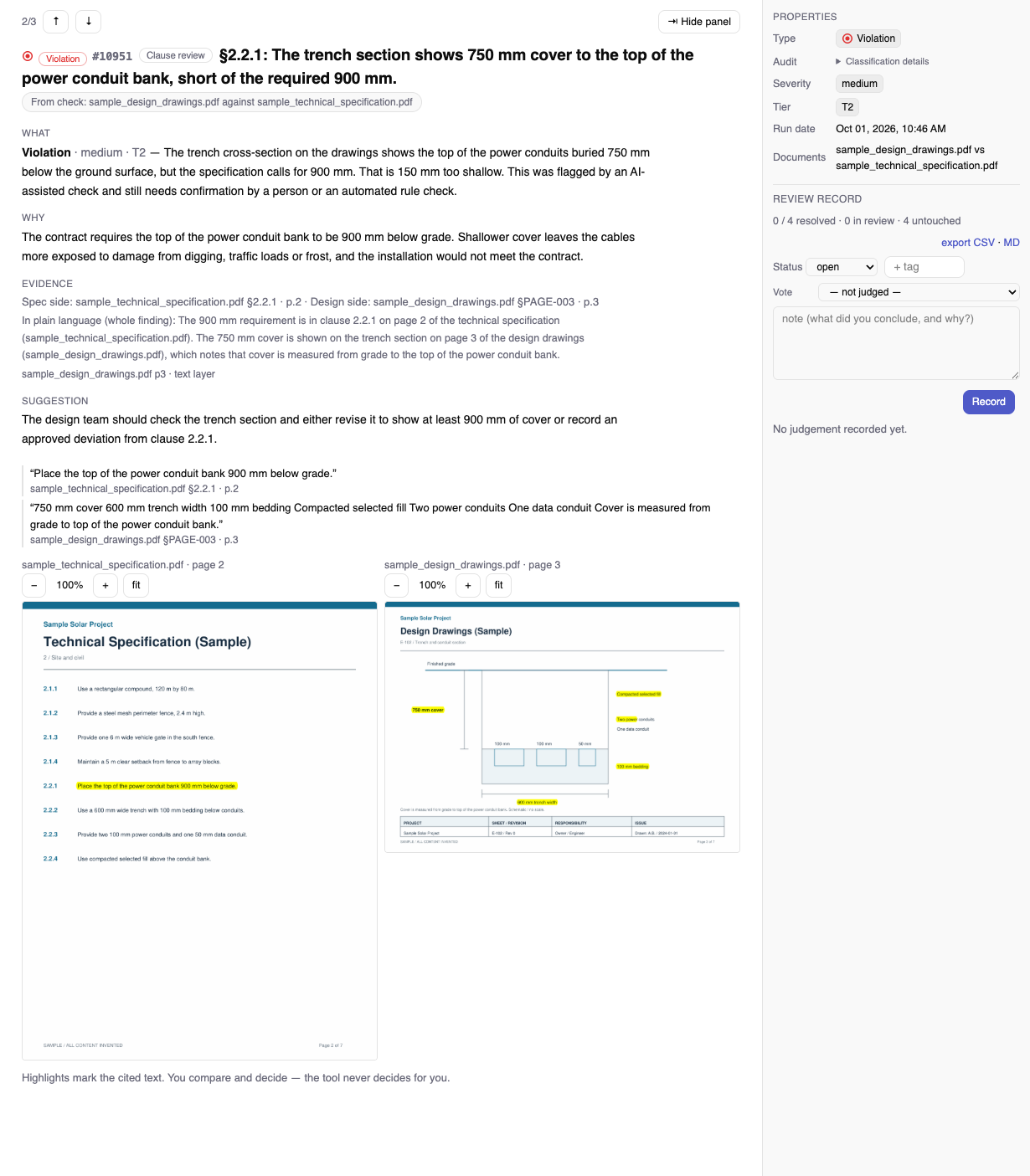
3Open a finding on its source page
Select a finding to see the cited pages side by side, with the relevant area highlighted.
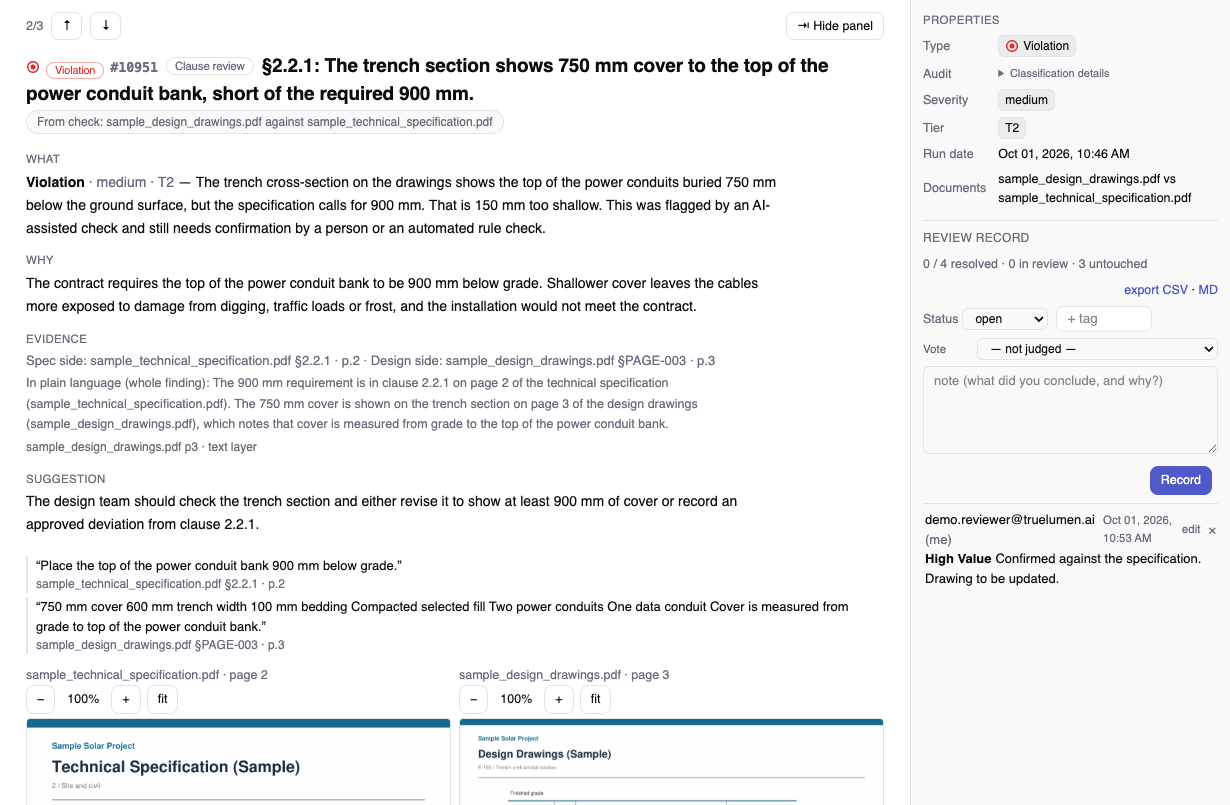
4Record your judgement
An engineer judges every finding. Record a verdict and a note, and both are saved with the finding. Export the findings as CSV or Markdown.
5Watch a review
A short screen recording: from the findings list, open a finding, see the highlighted source pages, and record a judgement. Shown on synthetic sample documents.
Screens show synthetic sample documents. No customer data is shown.